You never have to say
where you are going.
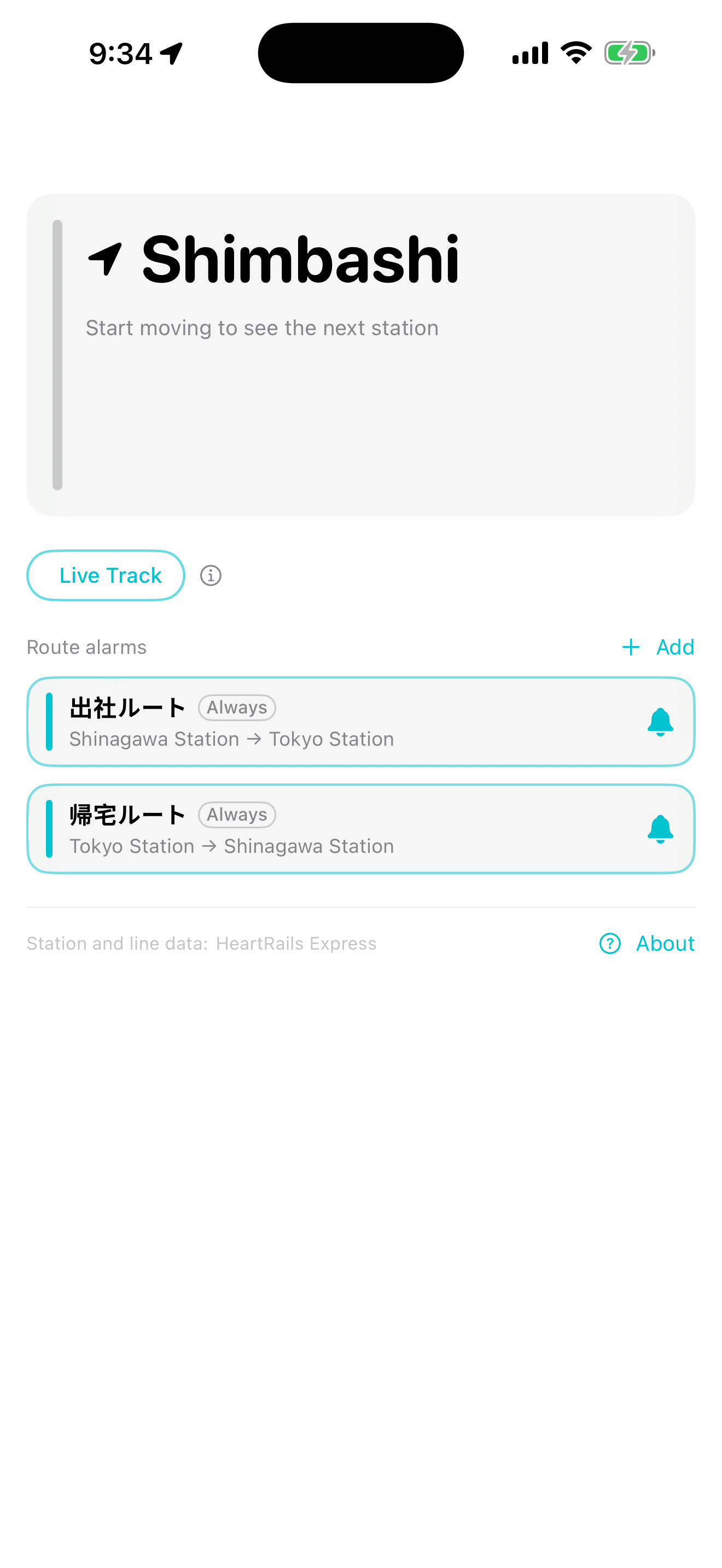
No route to register, no line to choose, no button to press. Once you are moving along a railway line, Nextation works out where you are and puts the next station on your Lock Screen, on your Home Screen, and above whatever app you are using. Adding the widget once and allowing access to your location is all the setting up there is.
Without unlocking your phone
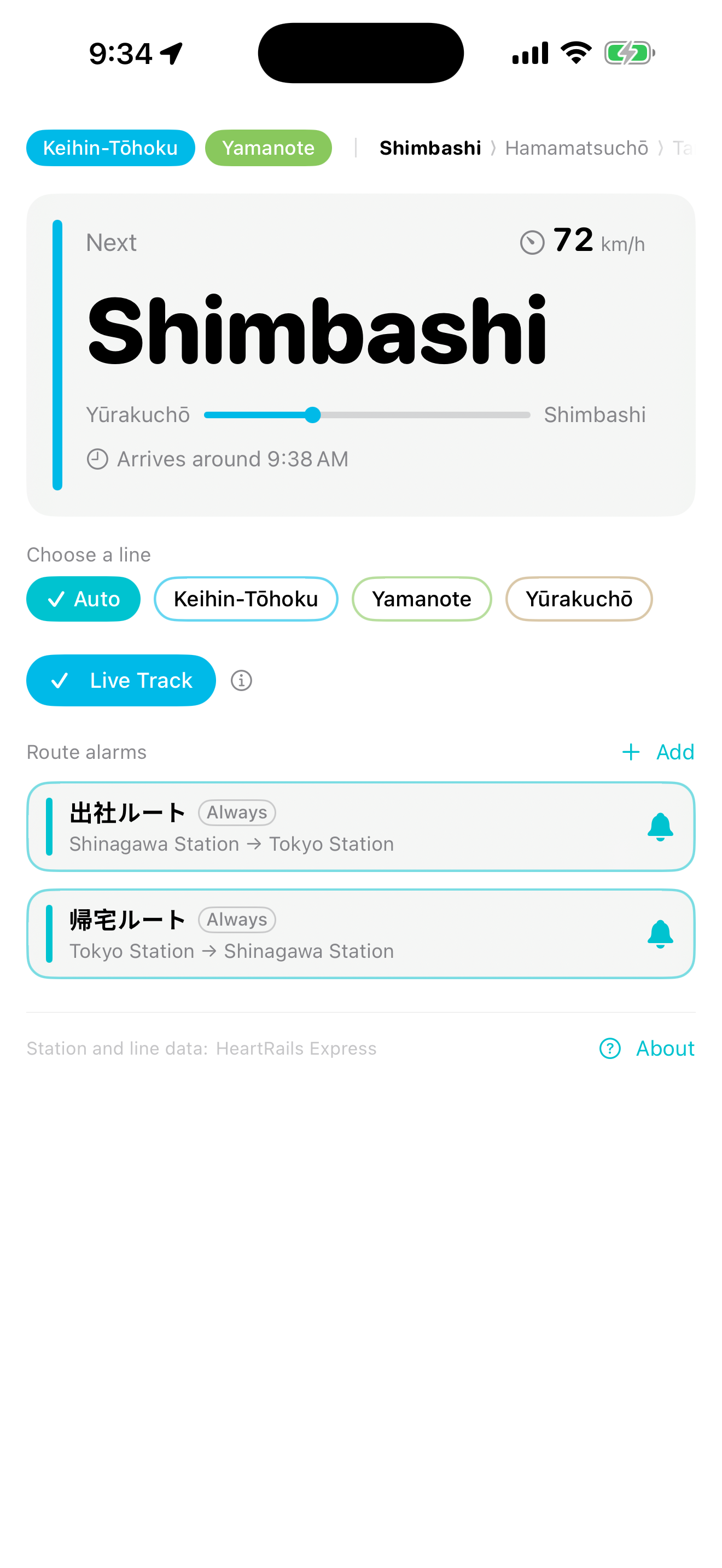
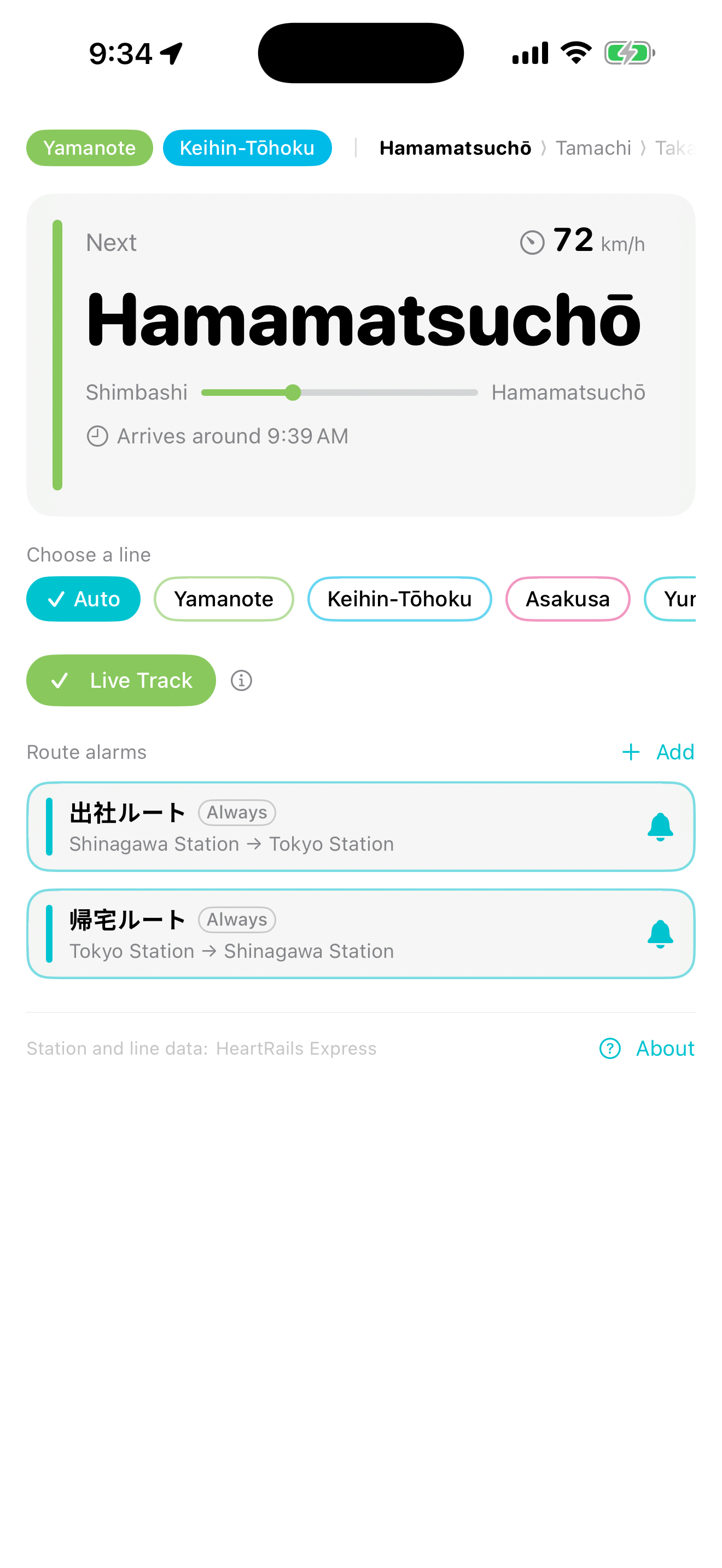
The station you have just left, the station you are heading to, and a rough arrival time — on the Lock Screen. Three shapes to choose from: rectangular, single-line and circular. The line you are riding is estimated from your location; if the estimate is wrong, you can pick the line yourself.
Note: iOS draws Lock Screen widgets in a single colour.
The colour tells you which line
Small and medium sizes. The thin bar down the left edge takes the colour of the line you are on, and the station name is the largest thing on the widget — so it stays readable on a moving train.
Even while you use another app
While you are riding, the next station sits in the Dynamic Island. Watching a video, reading a map, writing a message — you only have to look up. On the Lock Screen the same information is shown in more detail.
It counts stations,
not metres.
Register the station you are getting off at, and Nextation tells you one stop before it, and again just before you arrive. Announcements on Japanese trains are not measured in metres — they are measured in stations. Neither is this alarm. One stop before is early enough to put your coat on and reach the door.
- If you have a change of trains, add the transfer station too and you will be warned before that one as well.
- Each saved route can be set to watch every time or watch this trip only.
- When the line cannot be identified, the alarm falls back to distance from the station instead of counting stops.
- Open the app and you see up to five stations ahead, in order — so you can count the stops left yourself.
For people who cannot read the signs.
Station names are shown in Latin script — the same spelling you see on the platform signs and on the display inside the carriage. What you read on your phone matches what is written around you.
- Station, line and prefecture names come from an offline dictionary built from Wikidata, so no lookup is needed while you are moving.
- Where a station is missing from the dictionary, its Japanese name is shown as-is. A wrong spelling would be worse than an unfamiliar one, so nothing is guessed.
- The interface is available in English, 日本語, 한국어, 简体中文, Français and Español.
Readable at a glance,
on a moving train.
The station name is the largest thing on the screen and everything else stays quiet. The line colour tells you which line you are on.
Where you are stays with you.
Location is processed on device. We do not send or store location data on any server we control. There is no tracking and no advertising SDK.
To resolve station and line names, only the coordinate being looked up is sent statelessly to a public API each time. The privacy policy explains this in full.
Support
Coverage depends on the station data provider. — Continuous background location use consumes battery. — The list of upcoming stations follows the local-train stopping pattern, so a rapid or express service may pass some of the stations shown. — Positioning is less accurate underground and in tunnels.